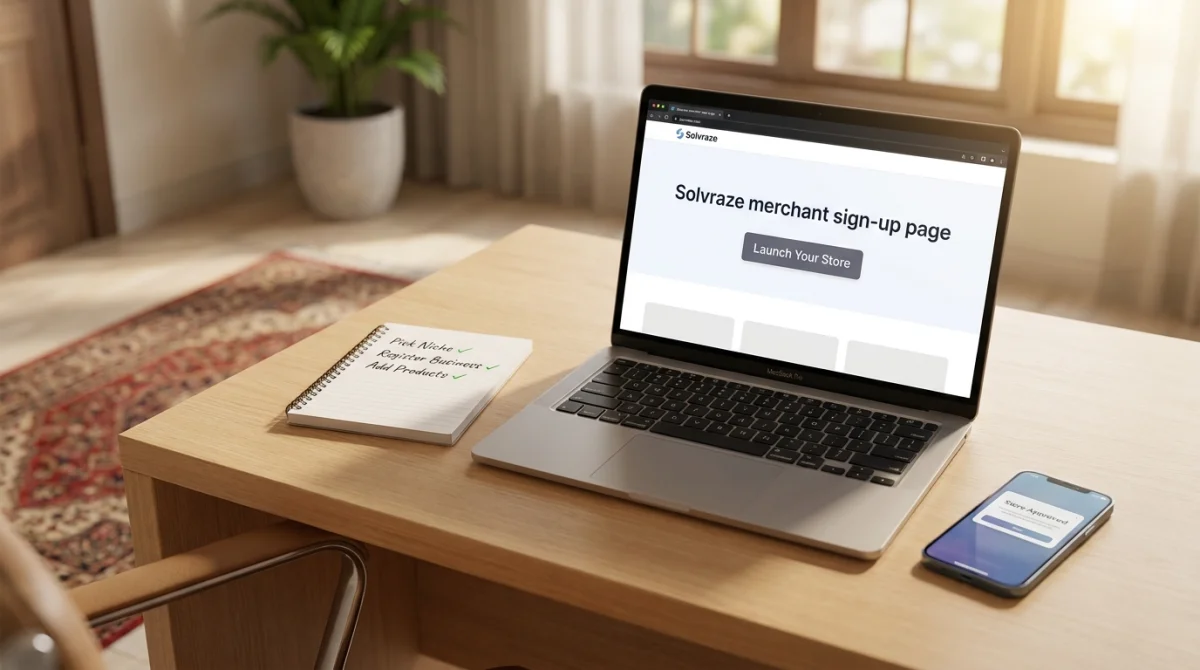
How to Start an Online Store in Pakistan in 2026 - A Step-by-Step Guide
Thinking about selling online? This guide walks Pakistani entrepreneurs through everything from registering a business to launching a store on Solvraze.
May 12, 2026
E-commerce in Pakistan is growing fast. With smartphone penetration rising and digital payments becoming mainstream, there has never been a better time to launch your own online store. Whether you sell fashion, electronics, handmade crafts, or groceries, getting started is simpler than you think.
Step 1 - Pick Your Niche
Before you open a store, decide exactly what you are going to sell. The most successful stores focus on a specific category rather than trying to compete with large general marketplaces. Popular niches in Pakistan include modest fashion, organic skincare, custom gifts, and mobile accessories.
Step 2 - Register Your Business
You do not need a registered company to start selling online, but it builds customer trust and simplifies tax compliance. Consider registering as a Sole Proprietor with your local Chamber of Commerce or filing with SECP if you plan to scale. You will also want a National Tax Number (NTN) from the Federal Board of Revenue.
Step 3 - Create Your Store on Solvraze
Sign up as a merchant on Solvraze, fill in your store details, upload your logo, and submit your application for approval. Our admin team reviews every application and typically responds within 1–2 business days. Once approved, your store is live at yourstore.solvraze.com — or connect a custom domain you already own.
Step 4 - Add Your Products
Use the merchant dashboard to add products with full details: title, description, price, stock quantity, and high-quality photos. If your products come in different sizes or colors, Solvraze supports full product variations with individual SKUs, stock levels, and variant-specific images.
Step 5 - Set Up Shipping
Define flat-rate or zone-based shipping rules that make sense for your products. Courier integrations with TCS, Leopards, and Trax are coming to Solvraze soon for automated label generation and live tracking.
Step 6 - Start Selling
Share your store link on WhatsApp, Instagram, and Facebook. Run a launch discount using Solvraze's built-in coupon system to attract your first customers. Monitor sales and customer behavior right from your dashboard.
Before You Announce the Store
Place a test order on a phone before sharing the link publicly. Check the product images, variant choices, delivery charges, COD option, payment flow, order confirmation, and the message a customer receives after checkout. A short test catches confusing labels and missing information while the store is still easy to adjust.
Prepare a simple customer-service routine as well. Decide who answers WhatsApp questions, how quickly you will confirm an address, and what happens when an item is out of stock. Clear expectations are especially important for first-time buyers who are deciding whether to trust a new online business.
A Practical First-30-Day Plan
Week 1: publish a focused catalog, complete your store policies, and ask friends or existing customers to test checkout.
Week 2: launch one useful offer, share the store link in relevant communities, and record the questions buyers ask most often.
Week 3: review which products receive views, add better photos or descriptions, and contact customers whose orders need clarification.
Week 4: compare orders, confirmed COD orders, cancellations, delivery issues, and repeat visits before deciding what to promote next.
For the platform setup and payment options, review the online store builder for Pakistan, Solvraze features, and pricing pages. A store grows faster when the launch plan connects product quality, customer communication, and measurement instead of relying on one social post.
Questions New Sellers Should Answer
Before launch, write down who your first customer is, what problem the product solves, how much delivery costs, how long fulfillment takes, and which contact method your team will monitor. These answers become the foundation for your product descriptions, social posts, support replies, and store FAQs.
Also decide how you will handle a customer who wants to change an order, cannot receive a parcel, or reports a damaged item. A short, honest policy is better than silence. It helps customers choose with realistic expectations and gives your team a repeatable response when the first difficult order arrives.
Build Trust Before the First Sale
Show a real business name, working contact details, delivery information, and a clear explanation of payment methods. Add product reviews as soon as genuine customers provide them, and answer questions in the same language and tone your buyers use. Trust is built from many small details: accurate photos, complete prices, responsive messages, and a checkout that does not surprise the customer.
Do not copy a competitor's product descriptions or promise delivery times you cannot control. Original explanations help customers understand what makes your product different, while accurate promises reduce support pressure and failed deliveries. This foundation also gives search engines more useful text to understand and connect with relevant queries.
Starting is the hardest part, everything else gets easier once your first order comes in. Join thousands of Pakistani merchants already building their businesses on Solvraze.